Pre-releaseComing soon to macOS. Get early access

The native Git client that sees every change.

Review, commit, branch, merge and push in a fast, keyboard-first Mac app built in Rust. And when the change is in an image, Lusca shows you exactly which pixels moved.

Free for macOS 15+ on Apple Silicon. Read the guide
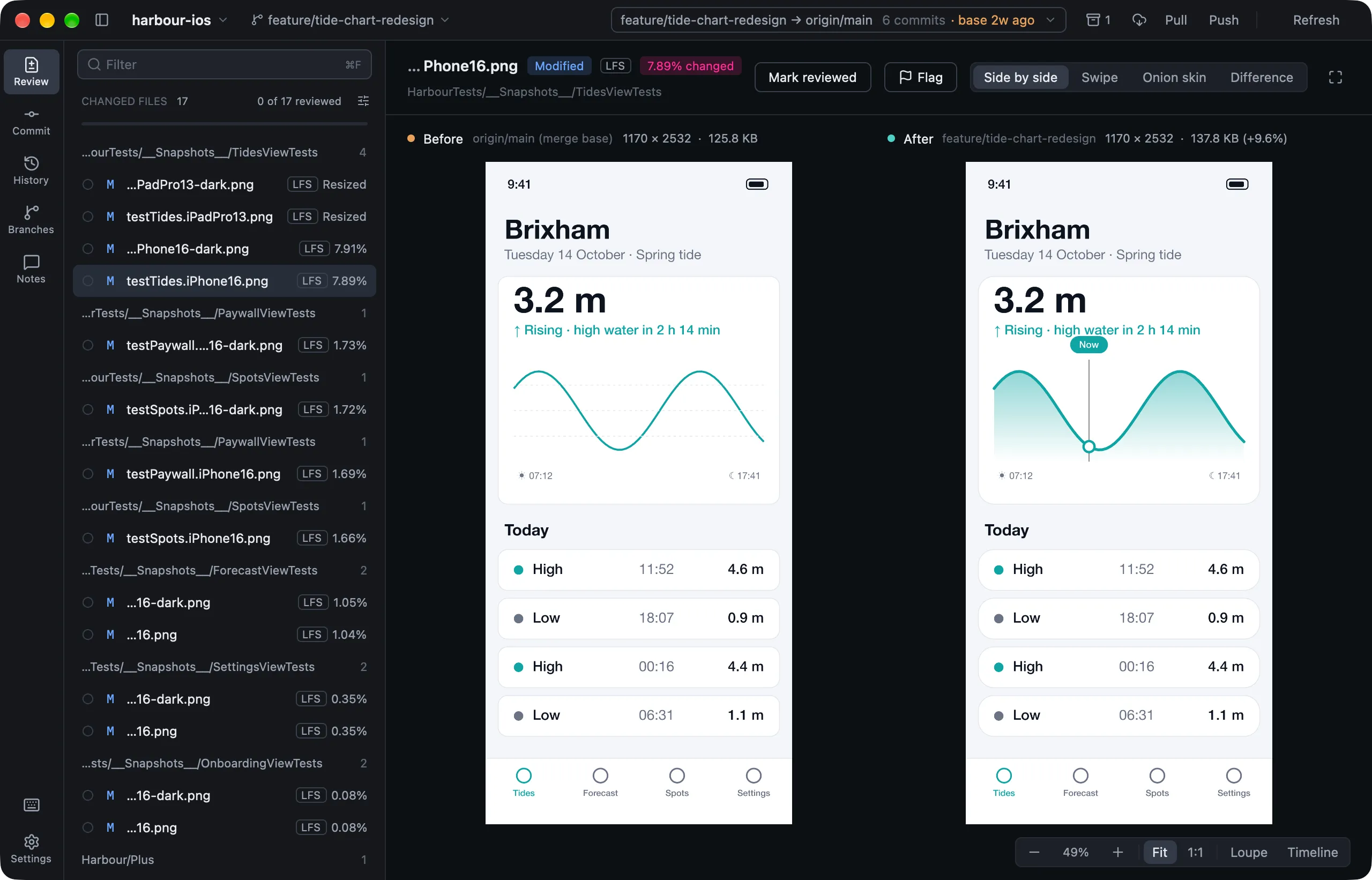
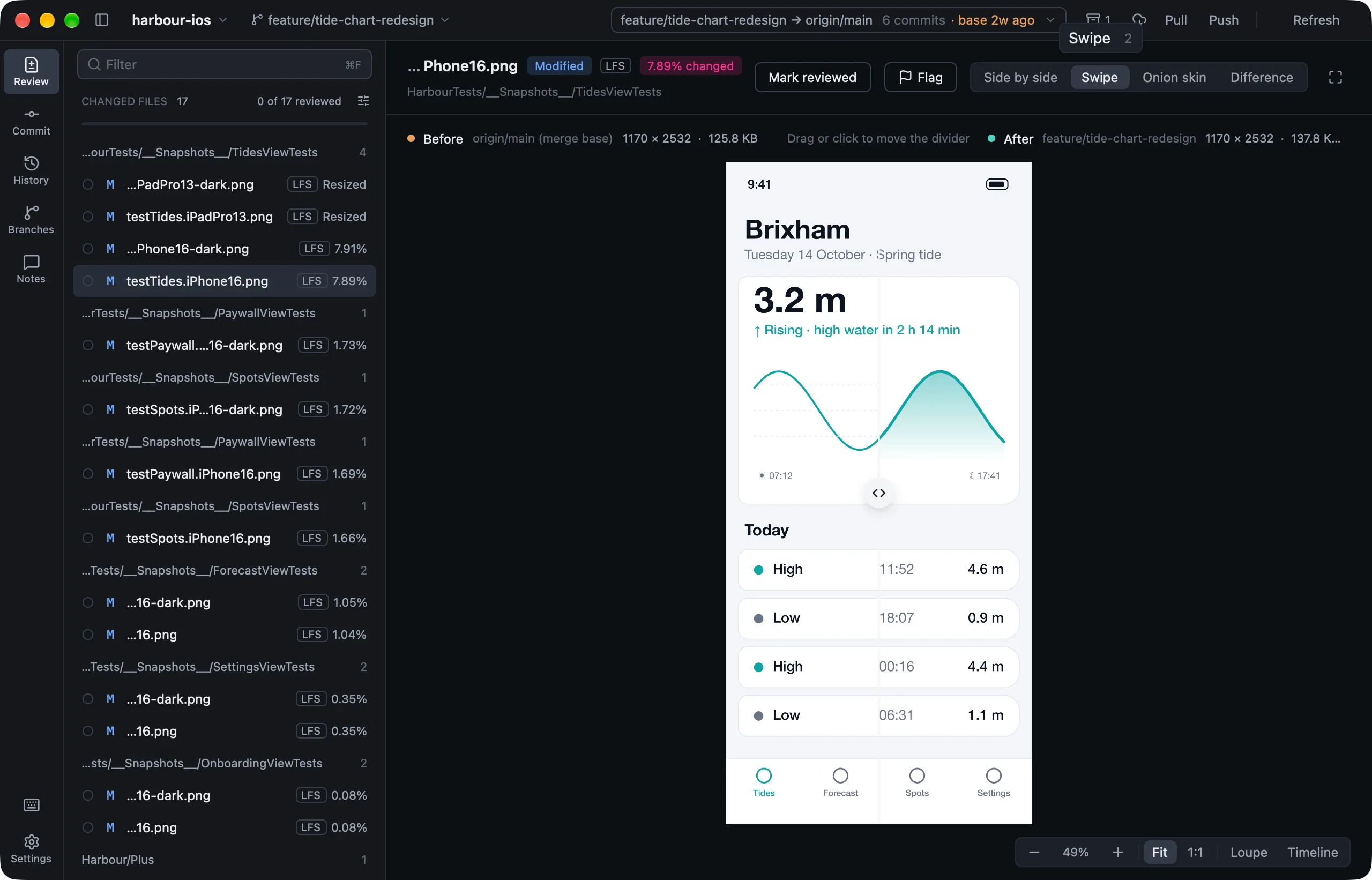
Lusca's Review page comparing a branch's snapshot test image with its base, side by side
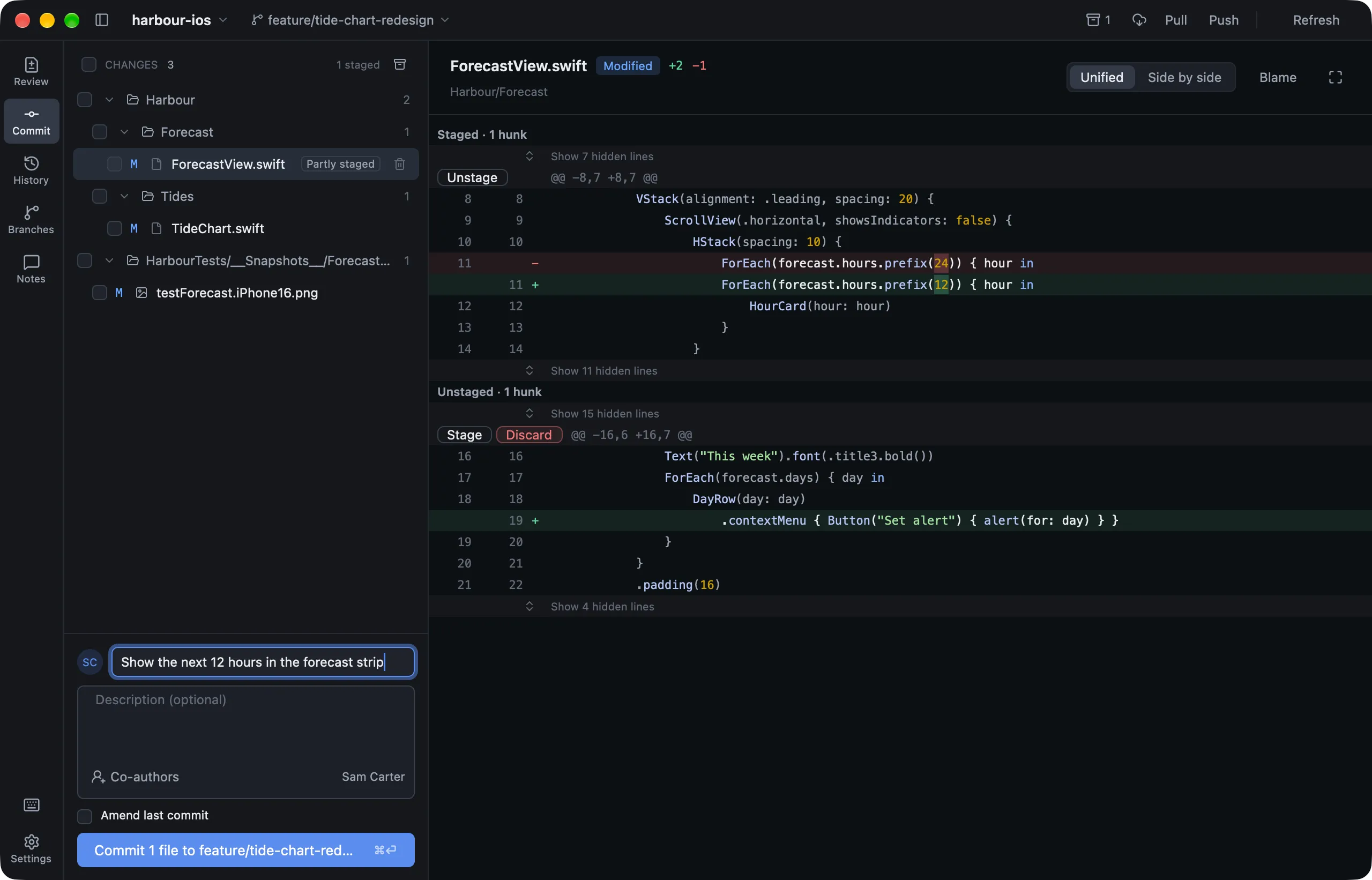
Lusca's Commit page with one hunk of a Swift file staged and a commit message written
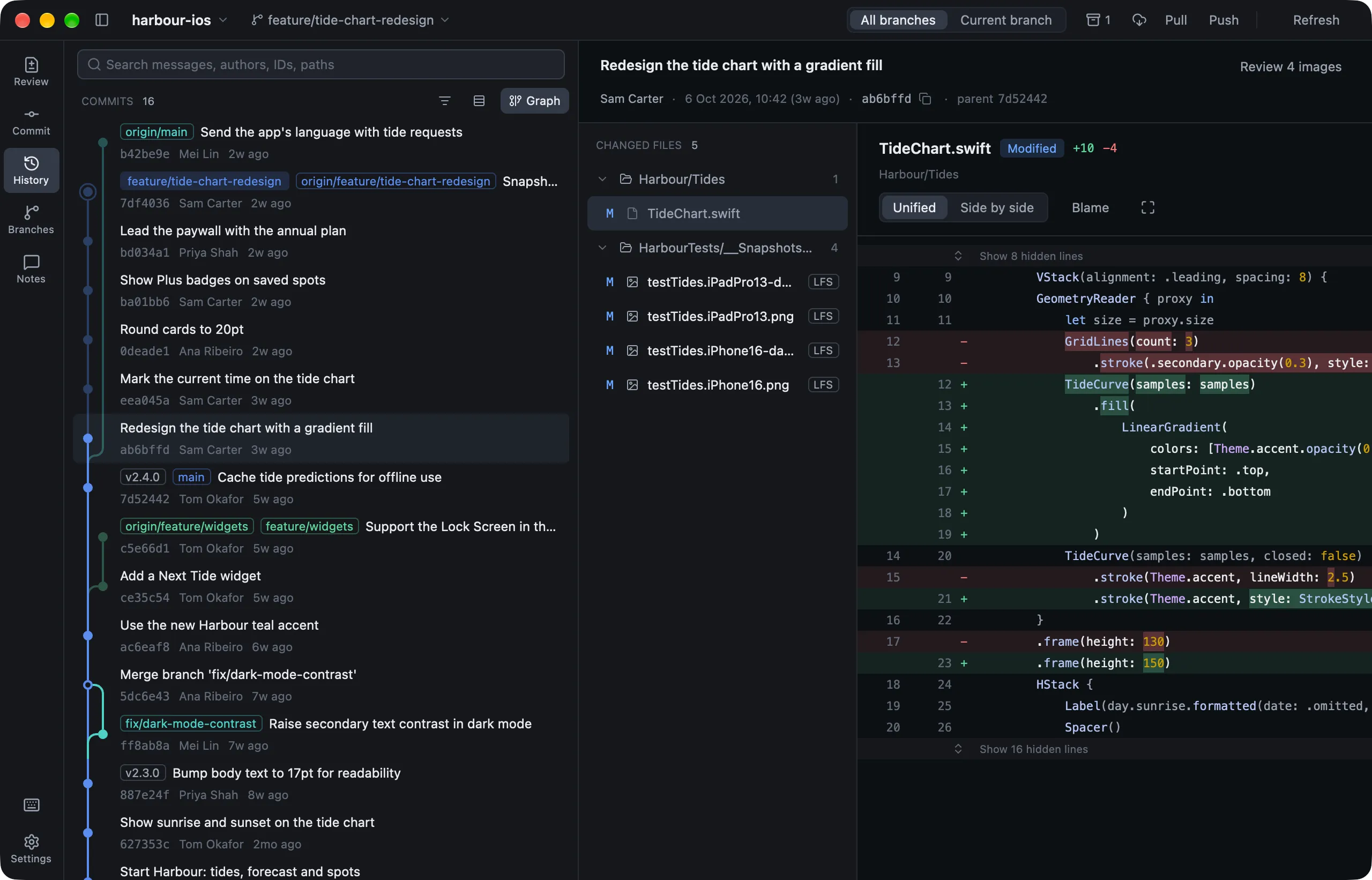
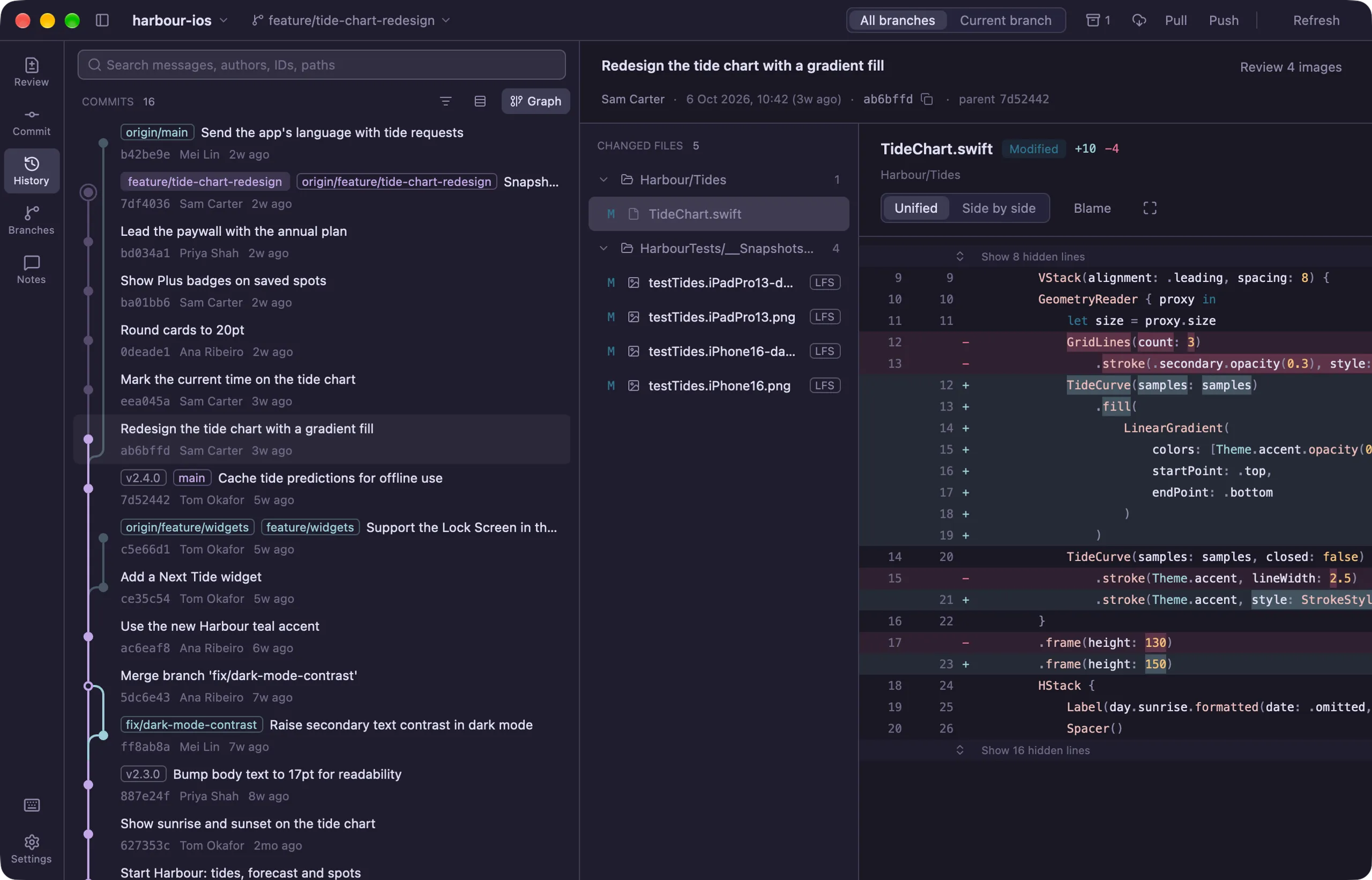
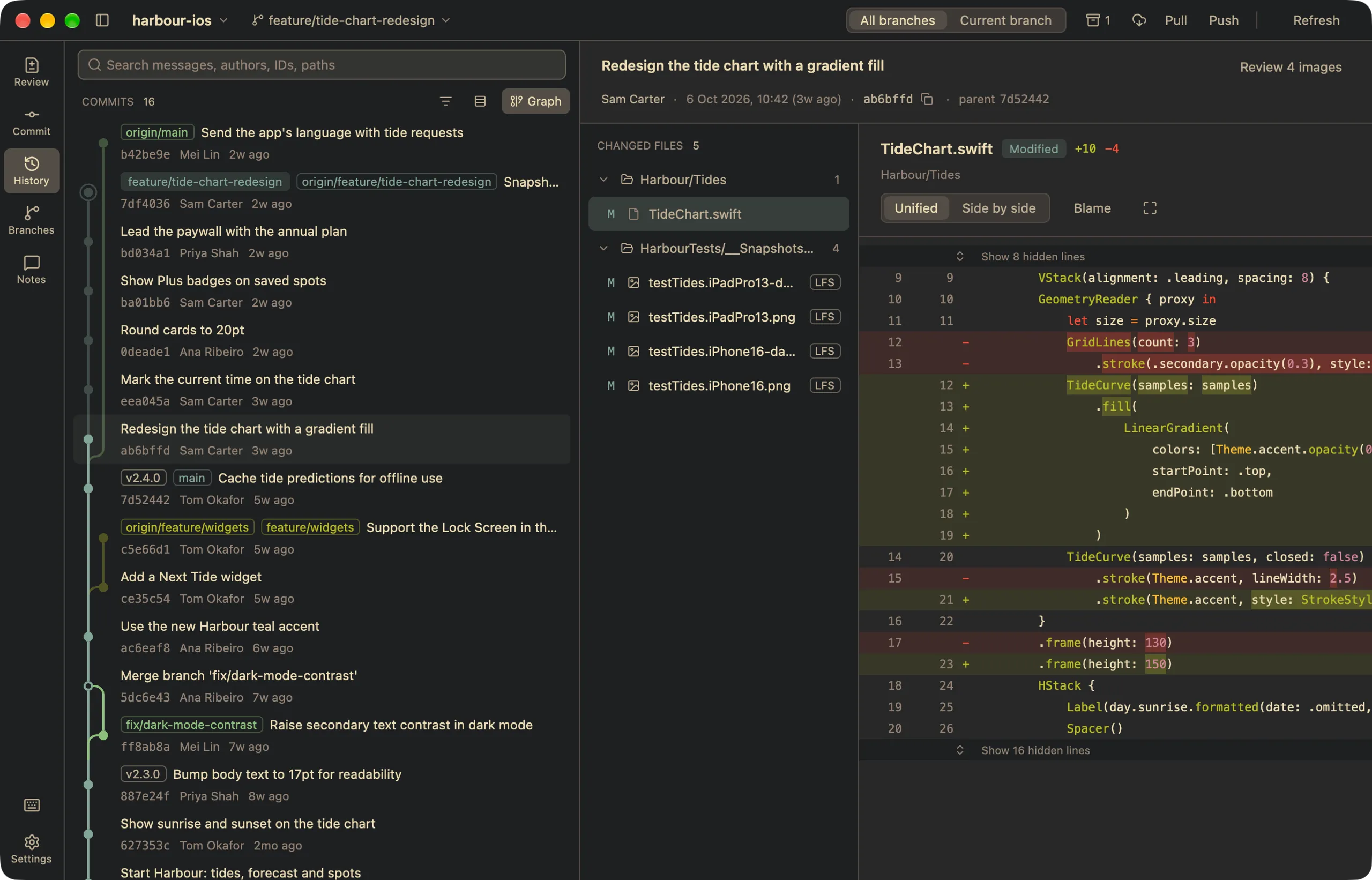
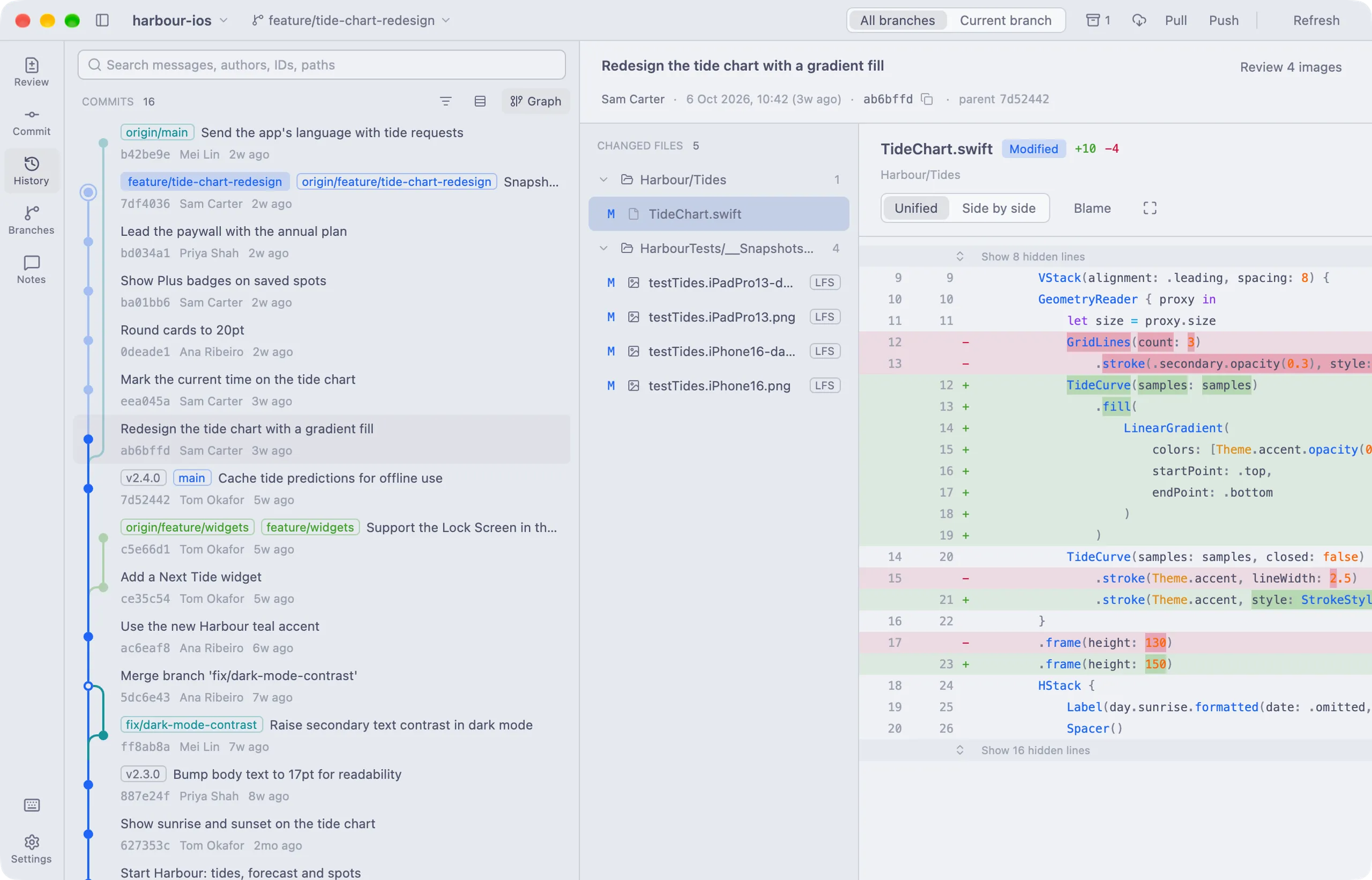
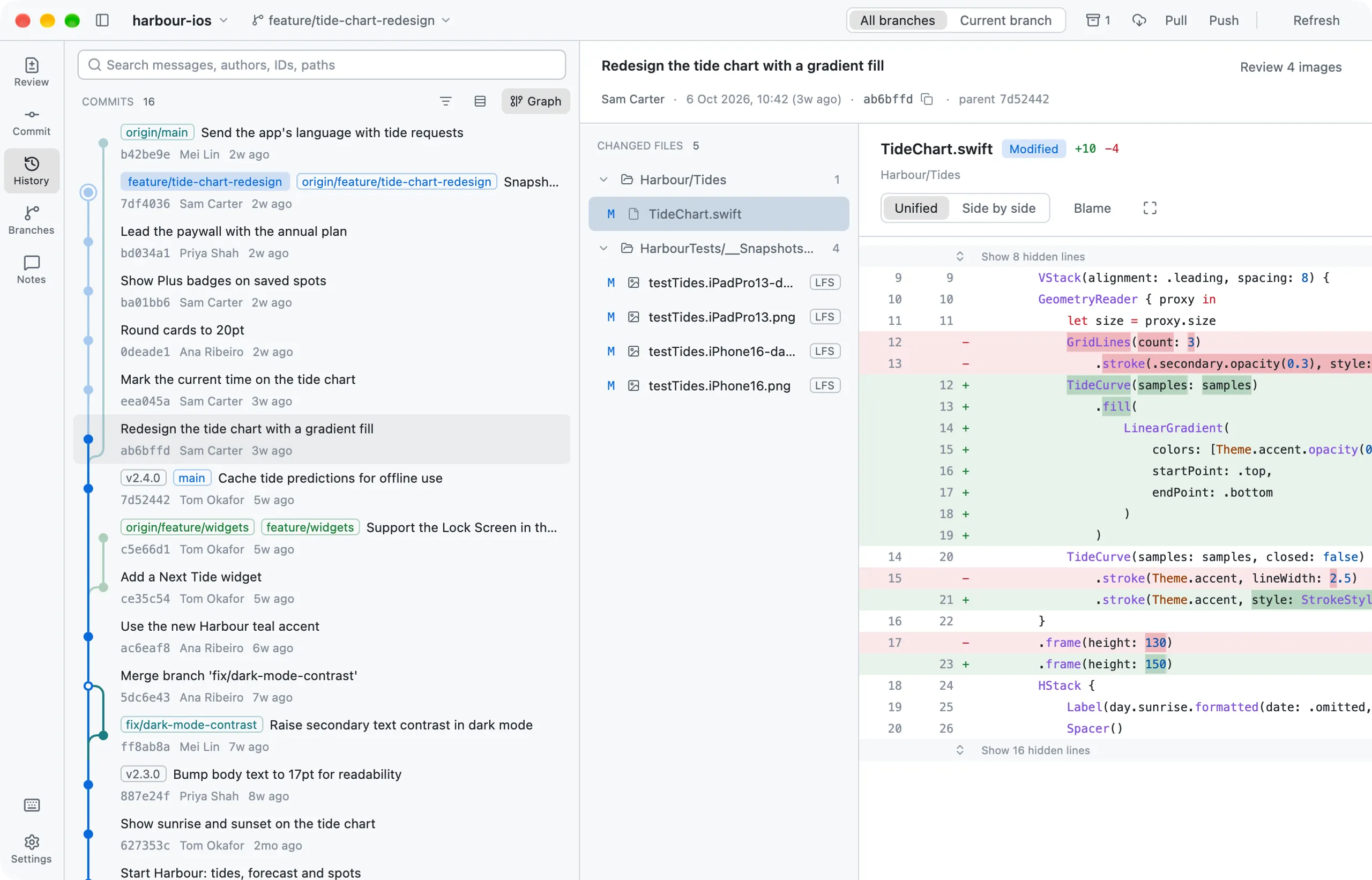
Lusca's History page showing a commit graph beside a syntax-highlighted diff
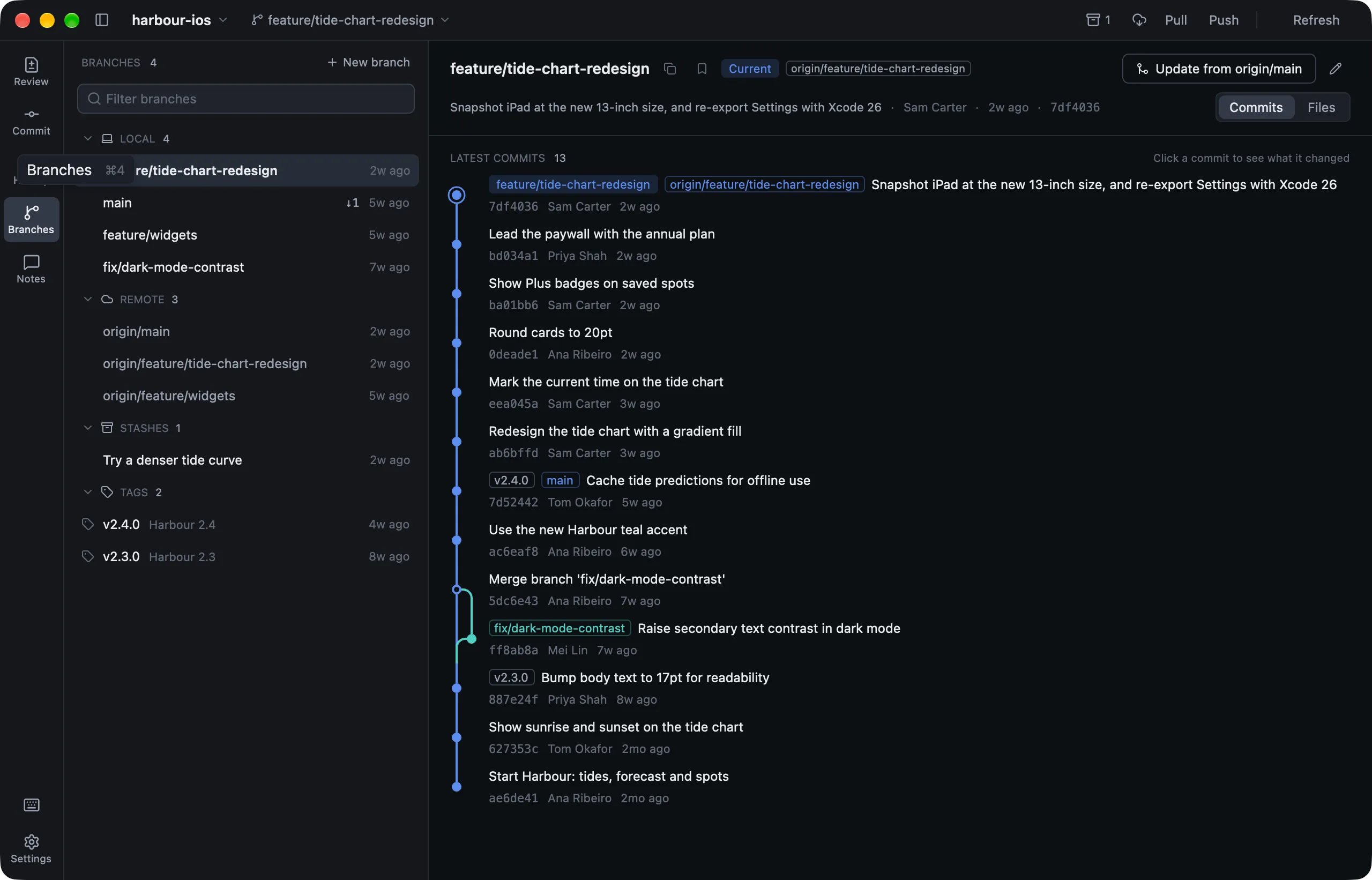
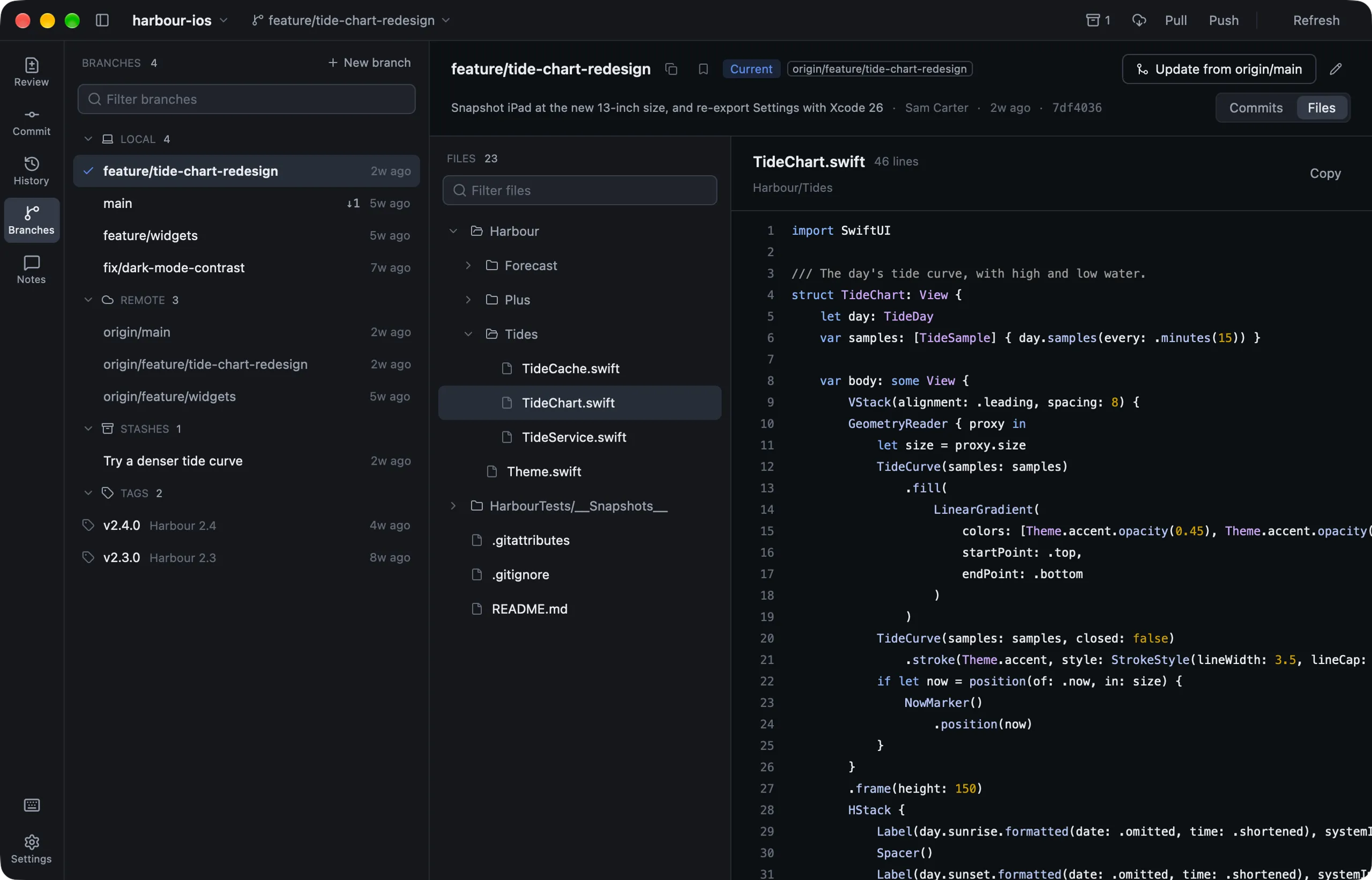
Lusca's Branches page listing local and remote branches, stashes and tags

01 · Review

Review every change, code or pixels.

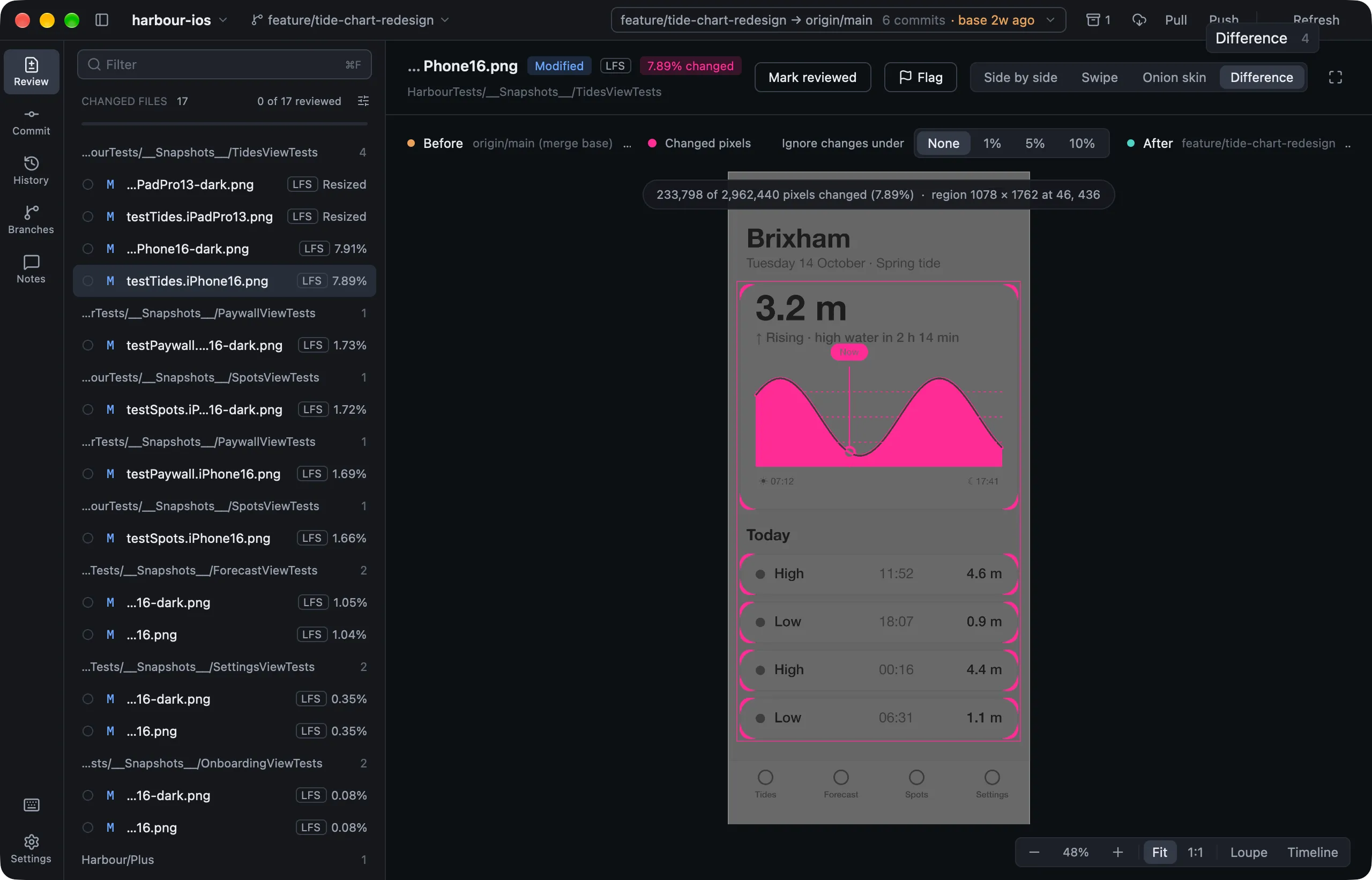
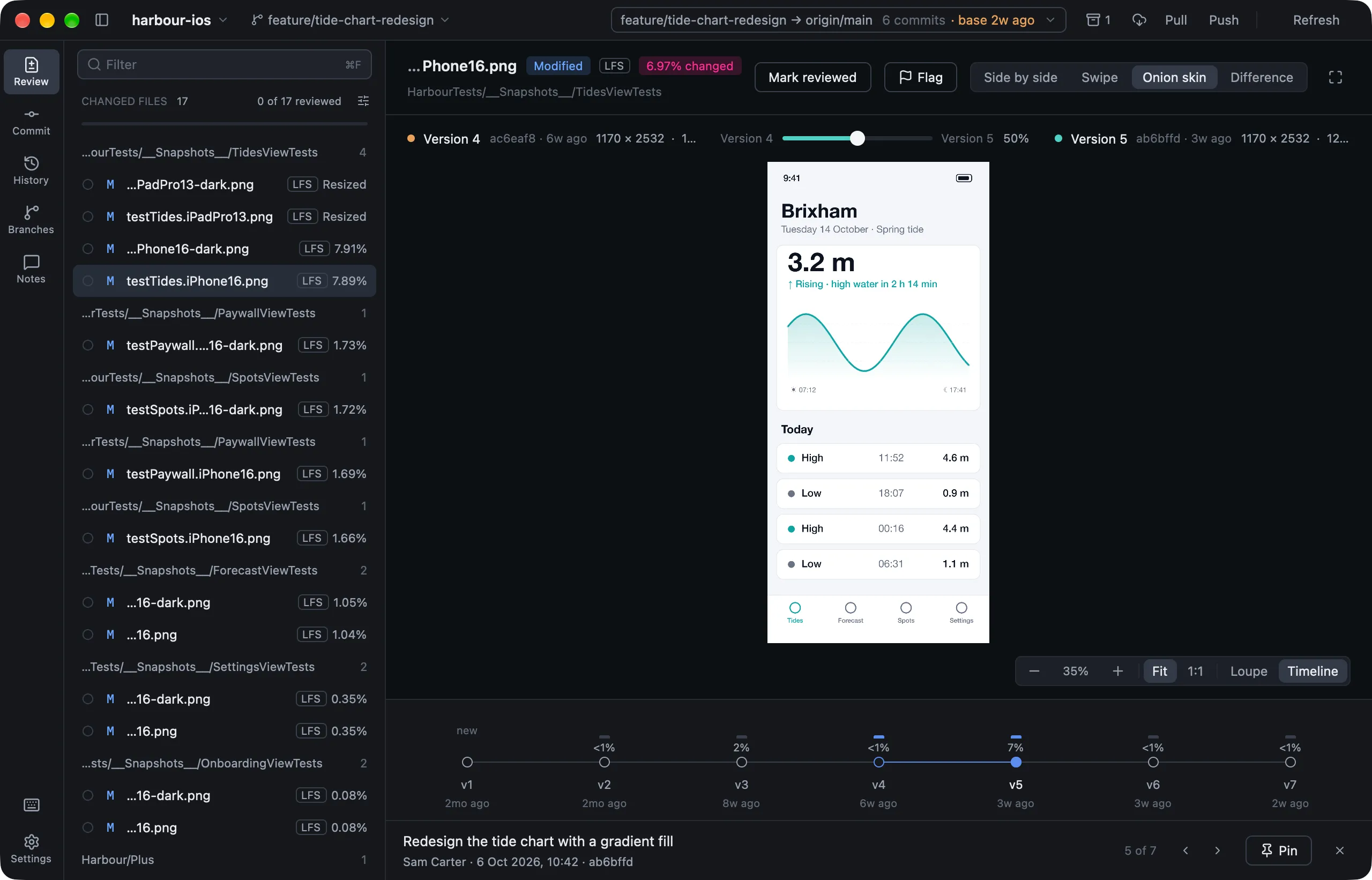
Look through uncommitted work, one commit, or a whole branch against its base, the way a pull request shows it. Code gets syntax-highlighted diffs with the changed words picked out. Images get four ways to compare, a pixel loupe, and a timeline of every version.

Before and after versions of a snapshot image, side by side
A divider swiping between the before and after image
Changed pixels highlighted in pink over a dimmed copy of the image
The image timeline, a dot for each version with how much it changed

A branch, like a pull request

Your commits since the merge base and nothing else, even when GitHub.com gives up on a PR with hundreds of images.

lusca . --base origin/develop

Triage the big ones first

Every image is measured in the background. Sort by how much changed, and hide re-encodes and tiny changes below a threshold.

Tick them off

Space marks a file reviewed and moves on, and N jumps to the next you haven't seen. If one changes afterwards, Lusca says so.

02 · Commit

Commit exactly what you mean to.

Stage whole files, single hunks, or just the lines you pick. Lusca applies them as git add -p would, then commits with your own hooks and signing.

  • Amend the last commit, or take it back with Undo
  • Credit co-authors from everyone who's committed
  • Set aside files you don't want to deal with yet
  • Stash everything, or just the files you choose
The Commit page with a hunk staged and a message ready
The History page: a commit graph, a commit's files, and its diff

03 · History

History you can actually read.

A commit graph with clear lanes, where your branch runs straight down and everything else forks off and merges back.

  • Search by message, author, commit ID or path
  • File history that follows renames, and blame
  • Cherry-pick, revert, reset and tag from any commit
  • Unified or side-by-side diffs in twenty languages

04 · Branches

Branches without the dread.

Switch, merge, rename and bookmark branches. Lusca tells you what a merge will bring in, and which files will conflict, before you start. Read any branch's code, even a remote one, without checking it out.

A branch's commits on the Branches page
Browsing a branch's files without checking it out

And the rest of Git, done carefully.

Fetch, pull and push

Your SSH agent, keychain and credential helpers work as in your terminal. Force pushes only replace what you've already seen.

Git LFS, built in

Images come from your LFS store, missing objects are fetched on demand, and file locks show who's working on what.

Pull requests and checks

See a branch's pull request and CI checks beside it, and open a new one, through the GitHub CLI.

Conflicts, side by side

Keep one side, take the other, or both, conflict by conflict, with the common base shown when Git wrote it.

Undo for Git

⌘Z takes back the last commit, merge, pull, reset or branch change, up to fifty steps, and never touches uncommitted work.

Nothing lost

Every discard keeps a recovery checkpoint in your Git folder. File › File Recovery puts it back.

Patch files

Save your changes or a commit as a .patch, and apply one someone sent you, with a three-way merge.

Notes and AI suggestions

Leave review notes on any line, copy them as Markdown, and optionally ask a model to suggest a fix.

Cancel anything

A stuck hook, filter or signing step gets a Cancel button. A stalled connection is given up on, not waited for.

Keyboard first

Everything is a keystroke away.

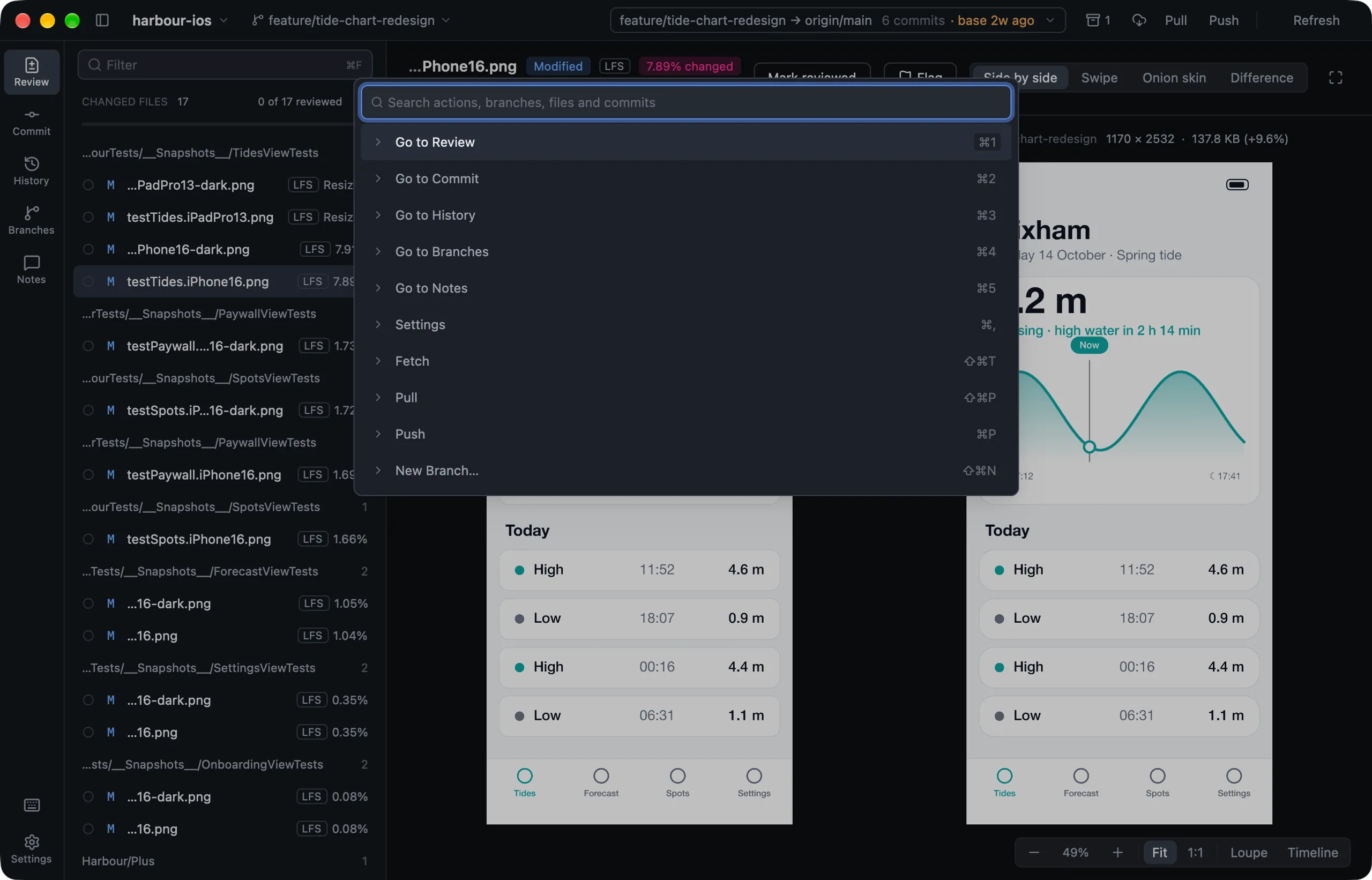
⌘ K finds any action, branch, file or recent commit. Almost everything else has a shortcut, and every one of them is yours to change.

⌘K
Command palette
⌘1–5
Pages
Space
Review or stage
N
Next unreviewed
⌘↩
Commit
⌘Z
Undo
The command palette open over the Review page

Fifteen themes. Code included.

The whole app follows the theme you pick, diffs and syntax colours too. Tokyo Night, Catppuccin, Dracula, Nord, Solarized and more.

Lusca in its Lusca Dark theme
Lusca in the Rosé Pine theme
Lusca in the Gruvbox Dark theme
Lusca in the Catppuccin Latte theme
Lusca in the GitHub Light theme

Rust, drawn on the GPU

Built with GPUI. Long histories, huge diffs and big images stay smooth.

Keeps up by itself

Save in your editor or commit in a terminal, and Lusca shows it a moment later.

Your Git, your setup

Lusca runs the Git you already have, so hooks, signing and credential helpers just work.

Private by default

No account to make. AI stays off until you turn it on, and crash reports stay on your Mac.

Pre-release

Be first to try Lusca.

Lusca is in private pre-release. Leave your email and we'll send you a download link as soon as it's ready. It'll be free, for macOS 15 or newer on Apple Silicon.

We'll only email you about Lusca, and never share your address.