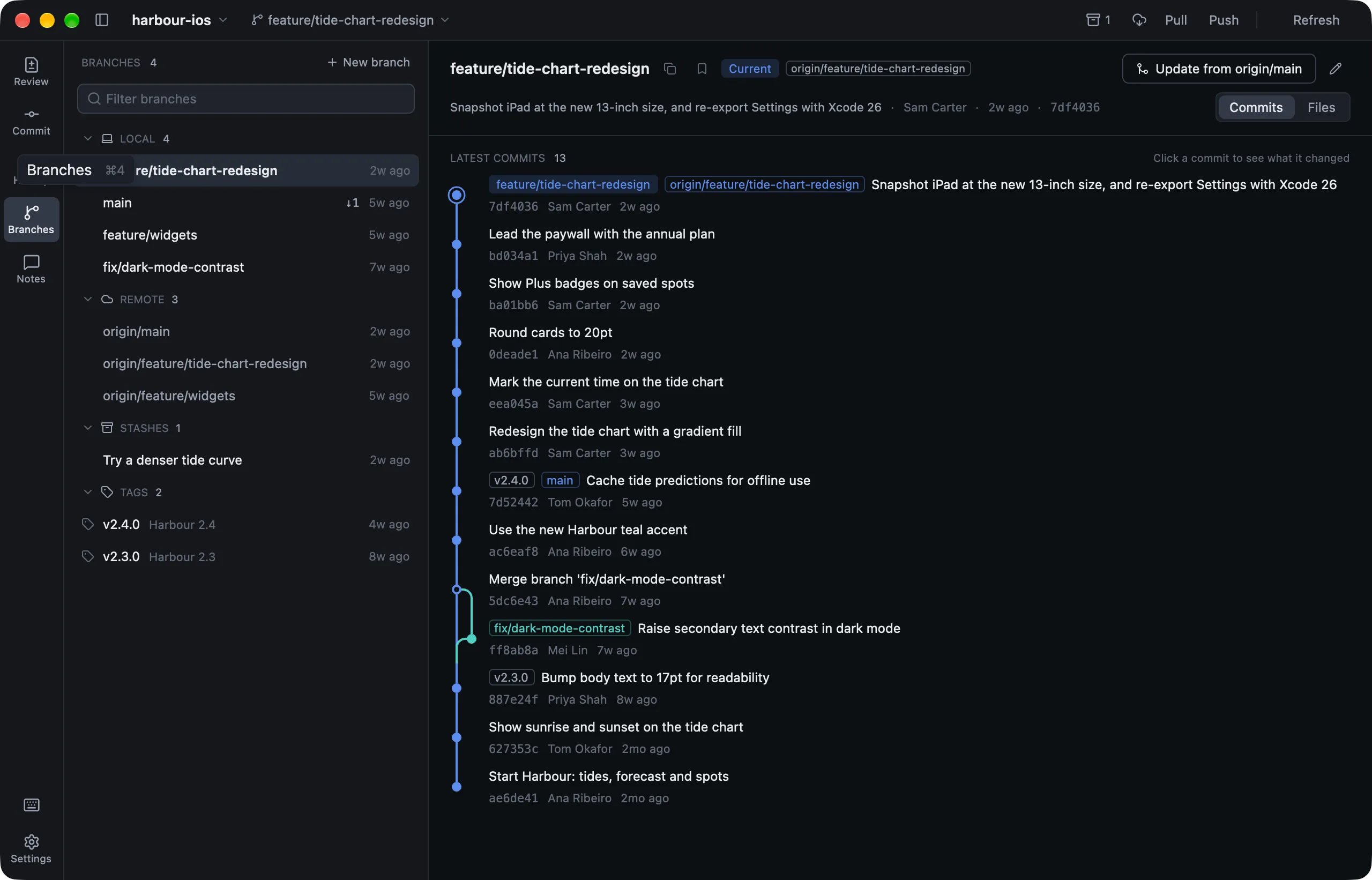
Branches (⌘4) lists Bookmarks, Local and Remote branches, Stashes and Tags. ↑2 ↓1 beside a branch counts the commits it has to push and to pull.
Branch commands
| To | Do this |
|---|---|
| Switch | Press Return, or double-click the branch |
| Make a branch | ⌘⇧N |
| Rename | Click the pencil |
| Delete | Press ⌫. Lusca warns if the branch has commits yours doesn’t |
| Merge into yours | Merge. It shows the incoming commits, and any likely conflicts, first |
| Bookmark | Right-click and choose Bookmark |
| Read its code | Files shows any branch’s files without checking it out |
If uncommitted changes are in the way when you switch, Lusca offers to Stash or Discard them.
Resolving conflicts
When a merge, pull, rebase or cherry-pick stops for conflicts, a bar across the top says so. On the Commit page:
- Keep ‹branch› or Take ‹branch› resolves a whole file with one side’s version.
- In a text file, resolve each conflict on its own with Keep, Take, Both, or Both, ‹branch› first. When Git recorded the base, it’s shown too.
- Mark Resolved stages the file once no conflict markers are left.
- Abort merge… puts everything back as it was. Start Over… brings the conflicts back.
Every resolution keeps a recovery copy of the file first.
Stashes
⌥⌘Sstashes every change, untracked files included. To stash only some files, right-click them and choose Stash N Files….- Restore brings the changes back and deletes the stash. Apply keeps the stash.
- The archive button in the title bar lists your stashes from any page.
Tags
Tags are listed newest first. Right-click one to copy, check out, push it to origin, or delete it. To make one, right-click a commit and choose New Tag….