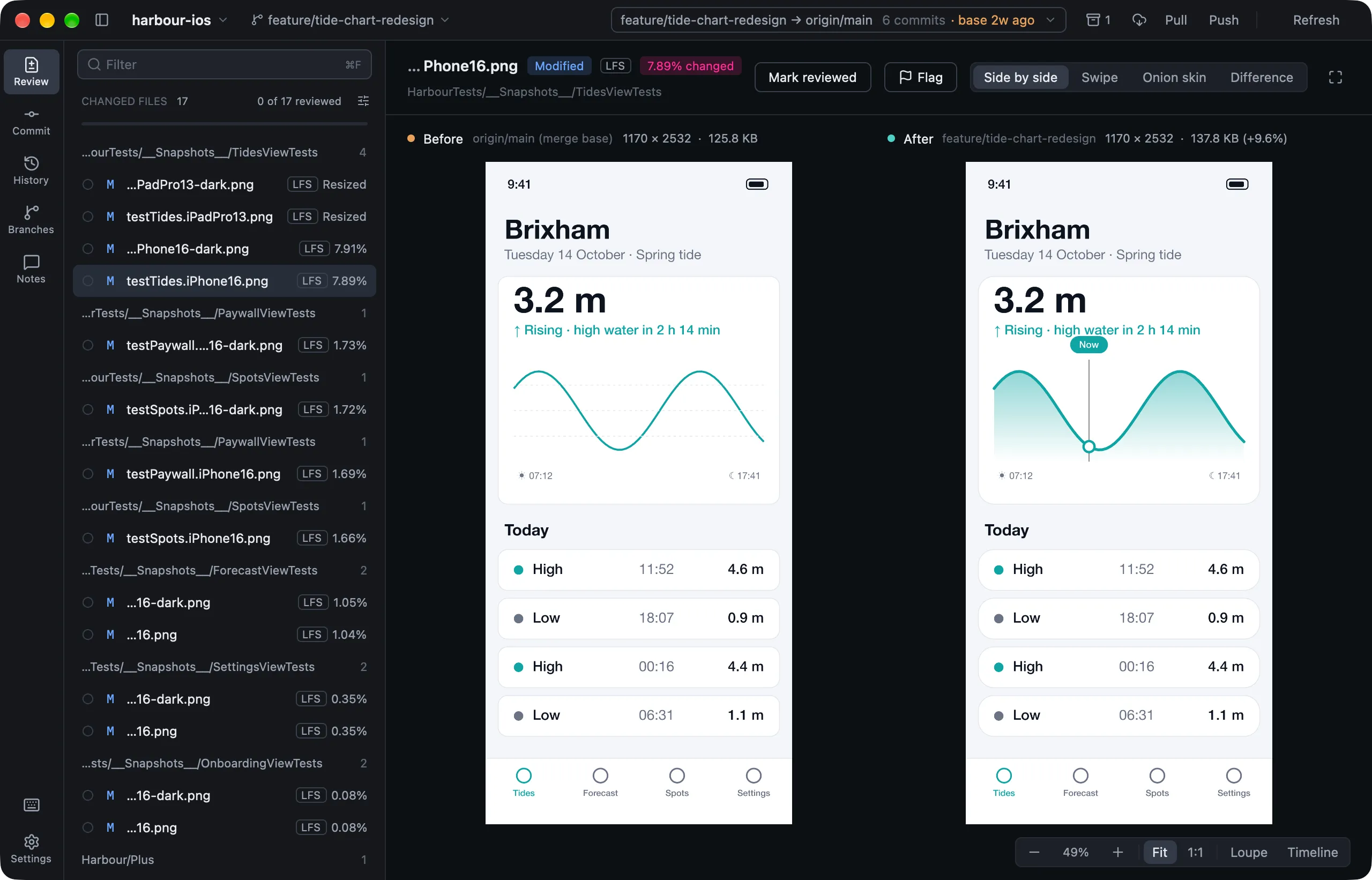
What you can review
Choose from the picker in the toolbar:
- Uncommitted changes: your working tree against
HEAD. - Branch changes: your branch against a base, like a pull request. See Branch review.
- A commit: open one from History, or run
lusca . --commit HEAD~1.
Reviewing never changes your checkout.
Moving through files
| Key | What it does |
|---|---|
↑ ↓ or j k |
Next or previous file |
← → |
Collapse or expand a folder |
Space |
Mark reviewed and move on |
N / ⇧N |
Next or previous unreviewed file |
I |
Show only images |
⌘F |
Filter the list |
F |
Focus mode: hide everything but the file |
- Marking a file reviewed doesn’t stage it. For uncommitted changes, Stage N reviewed files does that.
- A file that changes after you’ve reviewed it is flagged Changed since review.
- Prefer one flat list to folders? Set Settings › Appearance › Changed files to Flat.
Several files at once
⌘Achooses every file,⌘-click adds one, and⇧-click adds a run.- Right-click for Stage, Set Aside, Discard Changes… (
⌘⌫) or Copy Path. - A discard always keeps a recovery copy.
Setting files aside
Not ready to deal with something, such as files Xcode rewrote? Right-click it and choose Set Aside.
- It stays listed, dimmed, but review,
Space,⌘A, staging and discarding all skip it. - Anything staged in it is unstaged.
- Setting a folder aside also covers files that change in it later.
- Bring Back All, under the list, undoes it. Set-aside files are kept per repository and never committed.